


Metamorphabet
4.666.00 Reviews
App Specs
- Version
- 1.4
- Updated On
- License
- $5.99
- Downloads
- 10,000+
- Developer
- Vectorpark
- Categories
- Educational
- Platform
- Android
Screenshots
 Analysis by AppCompare
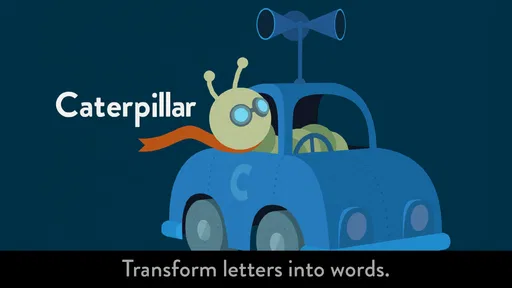
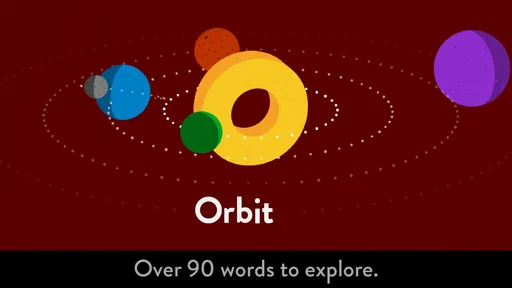
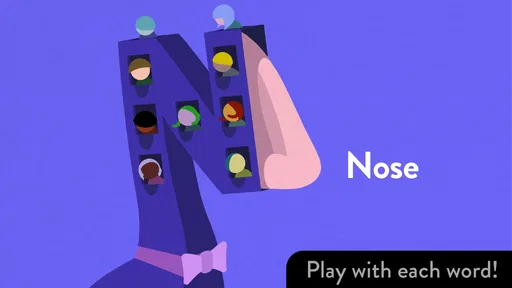
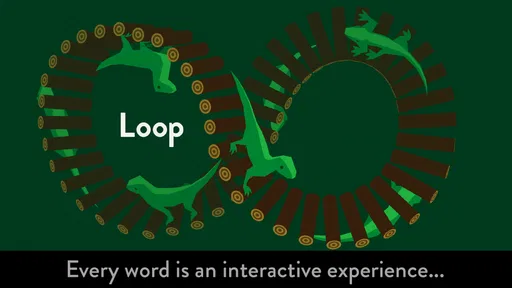
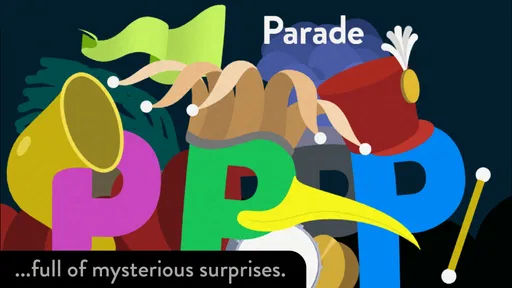
I went into Metamorphabet expecting a simple alphabet activity, but its appeal is less about memorizing letters and more about discovering what happens when you touch them. This is a paid educational game from Vectorpark, designed for children and adults who enjoy visual play. It turns each letter into a small interactive surprise, so the first question is not “What lesson comes next?” but “What will this letter do?”
That difference matters. Many alphabet apps treat letters as buttons leading to pronunciation drills, matching exercises, or quizzes. Here, the pleasure comes from action and reaction. I choose a letter, experiment with it, watch the transformation, and then move on because I want to see the next one. The experience feels closer to an interactive picture book than to a traditional learning worksheet.
How the alphabet loop feels in actual use
I find the alphabet loop works best when I treat each letter as a small invitation to explore, rather than something to rush through or complete like a lesson. In this section, I’ll look at how that open-ended rhythm feels in practice and what makes it engaging for different ages. It also helps explain why a little patience can make the experience more rewarding.
The first touch is the real invitation
The most effective part of the game is how quickly it gives me something to do. I do not need to study instructions before beginning. I can tap a letter and immediately see the screen respond. That makes the opening approachable for a young child who may not read yet, while still giving an older user a reason to investigate.
The letters are not presented as static symbols to memorize. They behave like objects in a playful visual world. A tap becomes a question, and the animation becomes the answer. I found myself testing different parts of the screen rather than pressing once and stopping. That hands-on quality is the reason this works better as an experience than as a conventional alphabet chart.
For a parent, the first session is easy to start during a quiet moment at home. A child can sit beside you, pick a letter, and explain what they notice. You can ask which letter appeared, what changed, or what the new shape reminds them of. The game does not force that conversation, but it creates natural openings for it.
I also like that the interaction does not demand a particular pace. A child can linger over one letter, while an adult can move through the alphabet more quickly. That flexibility makes it suitable for shared play, although it also means the educational value depends partly on how the person using it engages with the screen.
Worth Reading Before You Choose

EA SPORTS FC Mobile 26 Is a Bigger Football Game, but It Takes Time

Flipboard Shows What News Apps Must Do Beyond the Feed

Switching to Android Auto Means Rethinking Your Driving Routine

Google Calendar Makes a Crowded Week Easier to Manage

Ludo King Makes the Most of the Minutes Between Plans

Baby Panda World Brings Quick Play to Modern Phones, but Its Game Library Feels Busy
Feedback arrives as a visual response
The feedback rhythm is simple: touch, observe, understand that the touch caused something, and try again. The response is not a score, a flashing badge, or a verbal correction. Instead, the visual change itself is the reward for paying attention. That gives the game a calm quality that I prefer to the constant noise of many children’s learning apps.
This rhythm is especially useful for introducing cause and effect. A child may not be able to describe the interaction in words, but they can notice that their finger made the letter change. Repeating the action helps connect intention with result. In that sense, the game supports early exploration without pretending that every interaction needs to become a test.
There is a subtle trade-off here. If you want clear pronunciation practice, progress tracking, or an obvious right-and-wrong structure, the feedback may feel too open-ended. The game encourages curiosity rather than measuring mastery. I would not use it as the only tool for a child who needs systematic letter-sound instruction.
Its quiet feedback also makes it more comfortable in situations where a loud game would be distracting. I can imagine using it on a sofa, during a relaxed family activity, or while waiting somewhere with a child. It is not built around competition, so there is less pressure to keep up or perform correctly in front of someone else.
What counts as a reward here
The reward is the transformation itself. Each letter offers a visual event that makes the next letter feel worth opening. I did not need coins, unlockable levels, or a progress bar to keep going. The curiosity loop was enough: interact with one symbol, enjoy the response, then wonder what the following symbol will reveal.
That structure is a strong match for children who learn through repeated observation. Instead of asking them to remember a rule before they can have fun, it lets them explore first. An adult can then add the educational layer by naming the letter, connecting it to a familiar word, or asking the child to find the same letter elsewhere.
One useful way to play is to separate recognition from interpretation. First, let the child freely touch and watch. Afterward, return to a few letters and ask them to identify the original shape. This avoids interrupting the discovery process with too many questions, while still turning the experience into a gentle review activity.
Another practical approach is to use the game as a conversation starter rather than a lesson plan. If a letter’s transformation suggests an object, sound, or movement, talk about that association. The game is at its best when the screen supplies the spark and the person beside it supplies the language.
For adults, the reward is different but still real. The animations have a crafted, surprising quality that makes the alphabet feel less familiar. I enjoyed seeing ordinary symbols treated as playful materials. It is a small example of how interaction design can make a basic subject feel fresh without adding complicated rules.
Why I kept beginning another session
The session reset is uncomplicated. Once I have explored a group of letters, I can start again without needing to manage a complicated campaign or remember a score. That makes the game easy to revisit in short bursts. A child can explore a few letters today and return later without feeling that they have lost progress.
At the same time, this reset can feel limited if you expect a structured sense of advancement. There is no strong pressure to complete a curriculum, beat a previous result, or unlock a new difficulty. The reason to begin again is curiosity, shared play, or the wish to revisit a favorite interaction—not a formal achievement system.
I think that is an intentional strength for younger users, especially when the goal is relaxed exploration. It also makes the game suitable for adults who want a brief creative distraction. However, families looking for a complete early-literacy program may prefer an app that adds tracing, phonics, word building, and progress reports alongside visual play.
A realistic routine would be to use it for a few minutes before reading a physical picture book. Let the child explore several letters, then choose a book and look for those letters on the page. That connects the digital activity to printed language without asking the game to do work it was not designed to do.
Where it fits among alphabet apps
Compared with flashcard-style alphabet apps, this game is more exploratory and less instructional. Flashcards usually make the learning target explicit: see a letter, hear a word, repeat it, and move to the next card. Here, the target is wrapped in visual experimentation. That can make the experience more memorable for a curious child, but less efficient for someone who wants direct repetition.
Compared with tracing games, it offers almost no reason to practice handwriting movements. A tracing app is the better choice if the immediate goal is pencil control or forming letters. Compared with phonics-focused tools, it is also less suitable for building a predictable connection between letters and sounds. Its strength is the imaginative space around the symbol.
This distinction is important when deciding whether the price feels justified. The game costs $5.99, so I would not buy it expecting a broad bundle of educational exercises. I would consider it worthwhile for its focused interactive artwork and replayable alphabet exploration, especially if I wanted something calmer and more distinctive than an ad-supported collection of mini-games.
The age rating is Everyone, which fits the accessible presentation. Still, “appropriate for everyone” does not mean every age group will want the same thing from it. A preschool child may enjoy the direct manipulation, an older child may appreciate the visual jokes and transformations, and an adult may value the design. A student seeking formal literacy practice may quickly outgrow its open-ended structure.
Small habits that make the experience better
I found that the best results come from resisting the urge to rush through every letter. Give a child time to repeat an interaction, then ask them to show you what they discovered. That turns passive watching into a small act of explanation, which is often more valuable than simply reaching the end of the alphabet.
It also helps to alternate control. Let the child choose one letter, then choose one yourself and describe what you notice. This keeps the activity collaborative without turning it into a test. If the child is easily frustrated by unfamiliar interfaces, demonstrating one interaction first can make the rest feel more inviting.
For independent play, I would use it when the child is interested in pictures and movement but not ready for a long lesson. The game’s short, self-contained interactions are easier to approach than a full learning sequence. The trade-off is that independent play may produce more visual enjoyment than actual letter recognition unless an adult occasionally connects the symbols to spoken language.
Another useful workflow is to revisit only a small selection of letters during a session. Pick letters from the child’s name, a current story, or objects in the room. This gives the open-ended game a personal focus and helps bridge the gap between playful animation and everyday reading.
Device expectations and practical fit
The current version is 1.4, and the game requires iOS 12 or later. That makes checking the device’s operating-system version worthwhile before purchasing, particularly if the game is intended for an older iPad or iPhone kept for children. On a compatible device, the experience is designed around touch, so a larger screen can make shared exploration more comfortable than passing a small phone back and forth.
Because the interaction depends on seeing subtle visual responses, screen size and viewing distance affect the experience more than they would in a simple audio alphabet tool. For shared play, I would place the device where both people can see the letter clearly and avoid treating it like background entertainment. The game rewards attention to what changes on screen.
Vectorpark is the developer behind the project, and the design feels like it comes from a studio interested in expressive interaction rather than a large curriculum platform. That explains both the charm and the narrow focus. The game has a clear personality, but it is not trying to replace every other kind of early-learning activity.
Who should choose it, and who should pass
I would recommend it to parents who want a gentle, visually inventive alphabet experience; teachers looking for a conversation prompt during a supervised activity; and adults who enjoy polished interactive design. It is also a good fit for children who respond more strongly to movement and discovery than to repetition drills.
I would be more cautious for families whose main goal is measurable progress. If you need sound-by-sound practice, handwriting exercises, vocabulary units, parental reports, or a clear sequence of lessons, another educational app will probably serve you better. Paying for this one makes sense when the interactive alphabet itself is the attraction.
The public response is encouraging, with a 4.6 average from around 240 ratings and over 10K installs. Those figures suggest that the concept has found an audience, but they should not be treated as proof that it matches every learning style. The important question is whether you want an alphabet to behave like a toy, a picture book, and a tiny piece of animation rather than like a workbook.
My verdict on the complete loop
The action is immediate: touch a letter. The feedback is visual: the symbol responds in an unexpected way. The reward is curiosity, not a score. The reset is gentle: begin again whenever another letter, another child, or another shared moment makes the experience appealing. That loop is why I kept returning even though the game does not offer a conventional ladder of levels.
My main reservation is also tied to that loop. It can inspire exploration without guaranteeing that a player will retain letter names or sounds. Adults should add those connections through conversation, books, and everyday examples. Used that way, the game becomes more than a pretty distraction; it becomes a starting point for noticing how written symbols work.
My recommendation is simple: choose it for playful discovery, not formal instruction. At its best, it makes the alphabet feel alive and gives a child a reason to look closely. If that is the kind of screen time you want, this focused educational game is easy to enjoy and easy to revisit. If you need a complete literacy course, keep looking and use this only as a creative supplement.
Pros
- Playful letter animations make alphabet learning engaging.
- Simple tap-based controls are suitable for young children.
- Bright visuals and sound effects encourage exploration.
- Works well as a calm
- screen-time activity without time limits.
- Supports early vocabulary building through visual letter associations.
Cons
- Limited replay value once children have discovered every letter.
- No structured lessons
- progress tracking
- or learning assessments.
- Some animations may be too abstract for very young learners.
- Requires audio for the full effect
- which may not suit quiet settings.
- Older children may find the experience too short and simplistic.
FAQs for Metamorphabet
What is Metamorphabet?
Metamorphabet is an interactive educational game that helps children explore the alphabet through playful animations, sounds, and touch-based interactions. Each letter transforms into an object or creature beginning with that letter, creating a small visual surprise. Rather than focusing on tests or traditional lessons, the app encourages curiosity, experimentation, and early familiarity with letters in a calm, entertaining environment.
Is Metamorphabet suitable for young children?
Yes, Metamorphabet is primarily designed for preschoolers and early learners, although the exact ideal age can vary depending on the child’s development and familiarity with letters. The controls are simple, and children can generally explore without reading instructions. Parents may still want to play alongside younger users at first, especially to explain the letter sounds and connect each animation with real-world vocabulary.
How does the gameplay work?
The gameplay is based on tapping, dragging, and interacting with individual letters. When a child touches a letter, it can move, change shape, make sounds, or transform into something associated with that letter. There are no difficult levels, timers, or complicated objectives. The experience is intentionally open-ended, allowing children to discover animations at their own pace instead of following a strict progression.
Does Metamorphabet require an internet connection or include advertisements?
Metamorphabet is generally designed as a premium, self-contained app, so its main interactive content can be enjoyed without a continuous internet connection after installation. It is also aimed at children and does not follow the typical advertising-heavy model found in many free games. However, availability, pricing, and platform policies can change, so it is sensible to check the current store listing before downloading.
Is Metamorphabet worth downloading for learning?
Metamorphabet is worth considering if you want a visually creative way to introduce children to letters and encourage independent exploration. Its strongest qualities are the polished animations, responsive interactions, and relaxed atmosphere. It should not be treated as a complete reading course, because it offers limited structured practice. Instead, it works best as a supplementary activity used alongside books, conversation, and other early-learning resources.


